
Mobile app development
Mobile apps for your staff and the public.
We design, build and release iPhone and Android apps, then keep them current. New apps from scratch, or an aging app rebuilt on a modern framework with the features and data your users rely on.
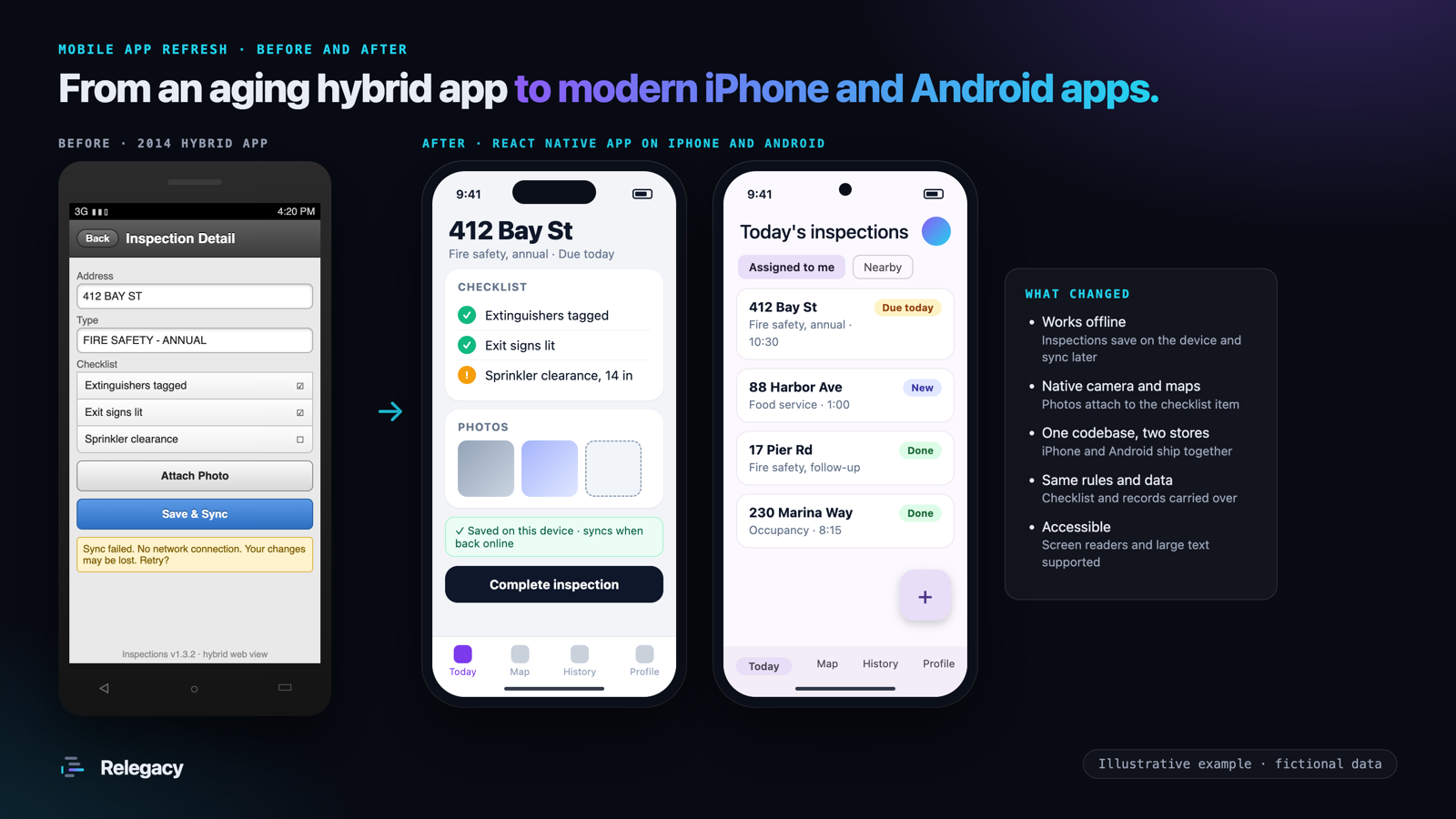
New apps and app refreshes
A new app
From an idea or a paper process to an app in the stores: field inspections, work orders, resident requests, permits, payments, events or internal tools.
An existing app, rebuilt
Apps built with Xamarin, Cordova, PhoneGap or older native code, rebuilt on a current framework. Features, rules and records carry over, and old problems like failed syncs do not.
A mobile front end for an old system
A modern app for staff or residents that works with your existing back-office system through a secure API, while that system is replaced in stages.
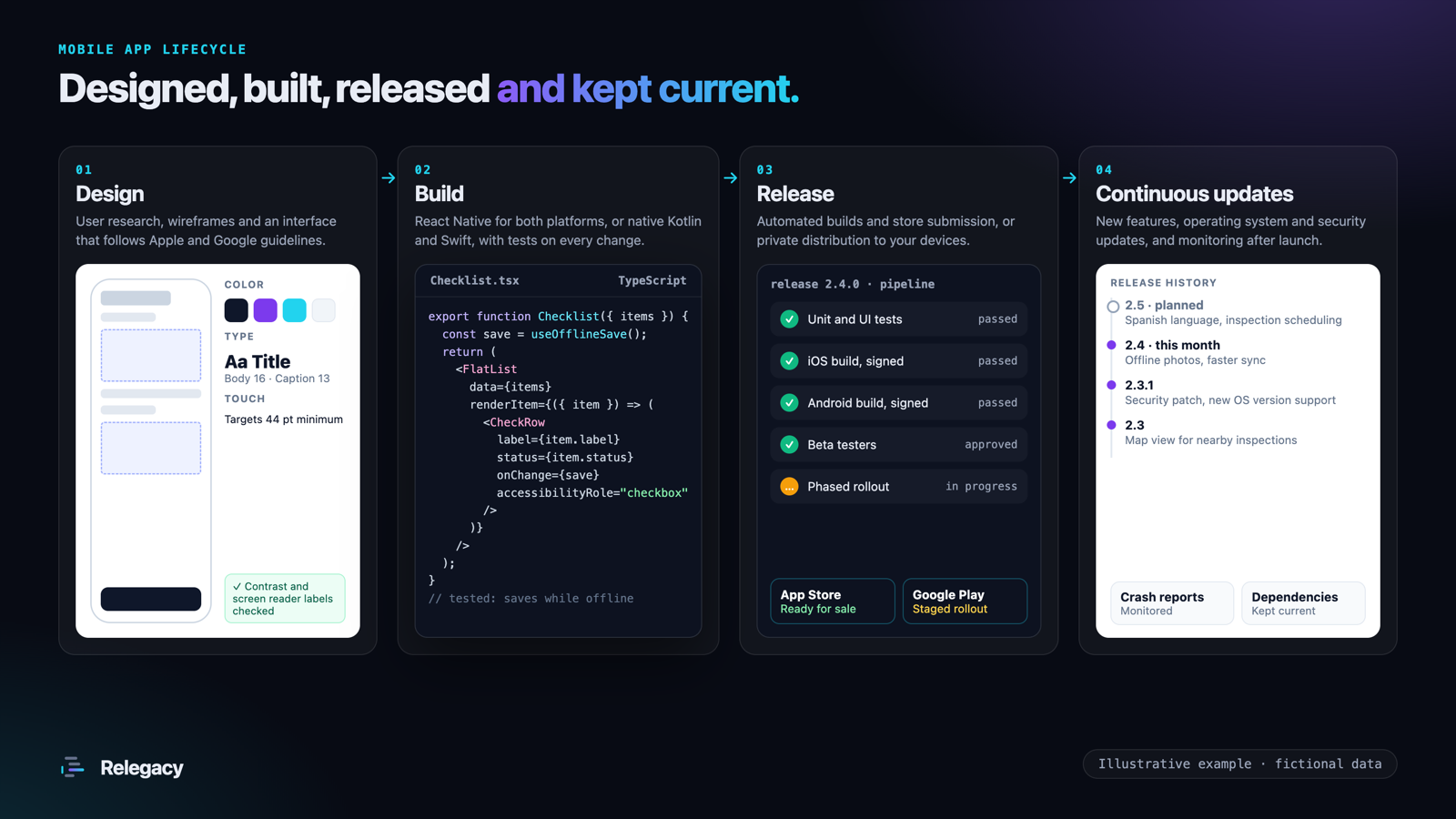
From design to continuous updates
User research, wireframes and an interface that follows Apple and Google guidelines and accessibility standards.
Development in short cycles with working builds you can try on your own phones, and automated tests on every change.
Signed builds, beta testing, and App Store and Google Play submission, or private distribution to your organization's devices.
New features, operating system and security updates, crash monitoring and store maintenance on an agreed plan.
Cross-platform or native
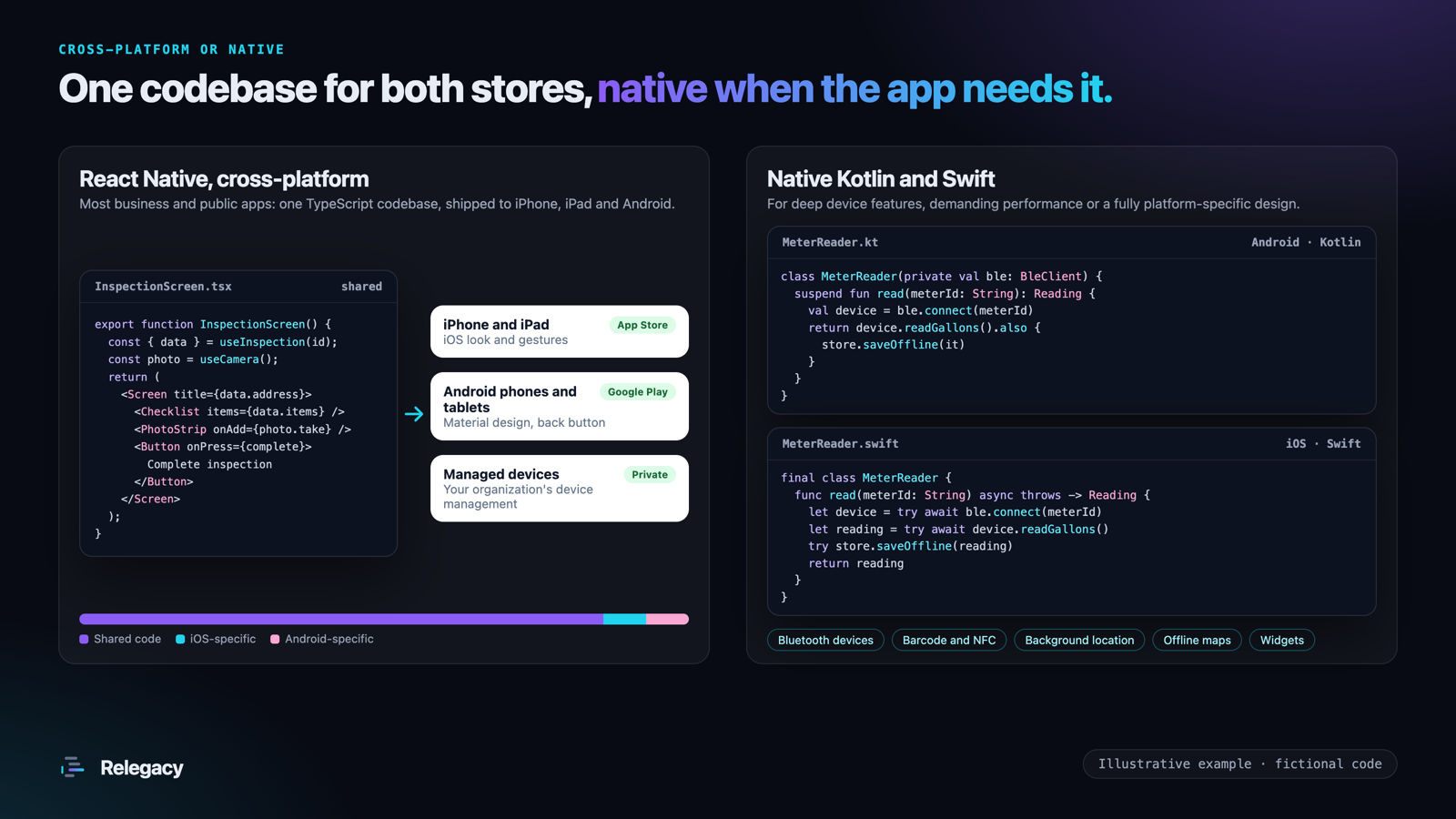
We recommend the approach that fits the app, and explain the tradeoffs before you commit.
React Native
One TypeScript codebase for iPhone, iPad and Android. The right fit for most business and public-facing apps, with lower build and maintenance cost.
Kotlin for Android
Fully native Android apps for deep device features such as Bluetooth equipment, background location or rugged field devices.
Swift for iOS
Fully native iPhone and iPad apps for demanding performance, widgets or a design built entirely around iOS.
What you receive
- Design files and a clickable prototype approved by your team before development starts
- The app for iPhone, Android or both, published under your organization's store accounts or distributed privately
- The back end it needs: APIs, sign-in, notifications and an admin view, or connections to the systems you already run
- Offline support where staff work without a reliable connection
- Automated tests and a build pipeline, so every release is repeatable
- Source code and documentation you own, so your team or another vendor can maintain the app
- An update plan for features, operating system releases and security fixes after launch
Connect the app to your systems
Most apps need data from somewhere: a CRM such as Salesforce, a payment provider, GIS or a legacy database. We build the APIs and integrations too. See custom development.